 LalaPos
E-invoicing
right from your cash register
Finish the sale, the invoice is done. LalaPos issues tax-authority-coded e-invoices straight from the order — automatically by order status, signed with HSM, with no re-typing into a separate program.
30-day free trial · E-invoicing available on every plan
Decree 70/2025
Meets the POS e-invoice regulation
VND 1bn/year
Revenue threshold making it mandatory for household businesses
Automatic
Issued the moment an order completes
30 days
Free trial
Sound familiar?
The usual friction when a business has to issue an e-invoice for every single sale.
After every sale you open a separate invoicing program and retype each line — the queue backs up at peak hours
Issue straight from the order you just sold: items, quantities and tax rates carry over, no retyping
Batching invoices at the end of the day makes it easy to miss the legally required issuing time
Auto-issue the moment an order turns "Completed", or schedule it for a time of day
A customer returns part of an order and nobody is sure how to fix an invoice that is already issued
Adjust the order in LalaPos and the matching adjustment or replacement invoice is created for you, referencing the original
Every corporate customer means asking for and retyping the tax code and address all over again
Buyer details are saved onto the order and pre-filled the next time you issue
Everything e-invoicing needs, inside your sales app
No separate software to buy, no double data entry.
Issue straight from an order
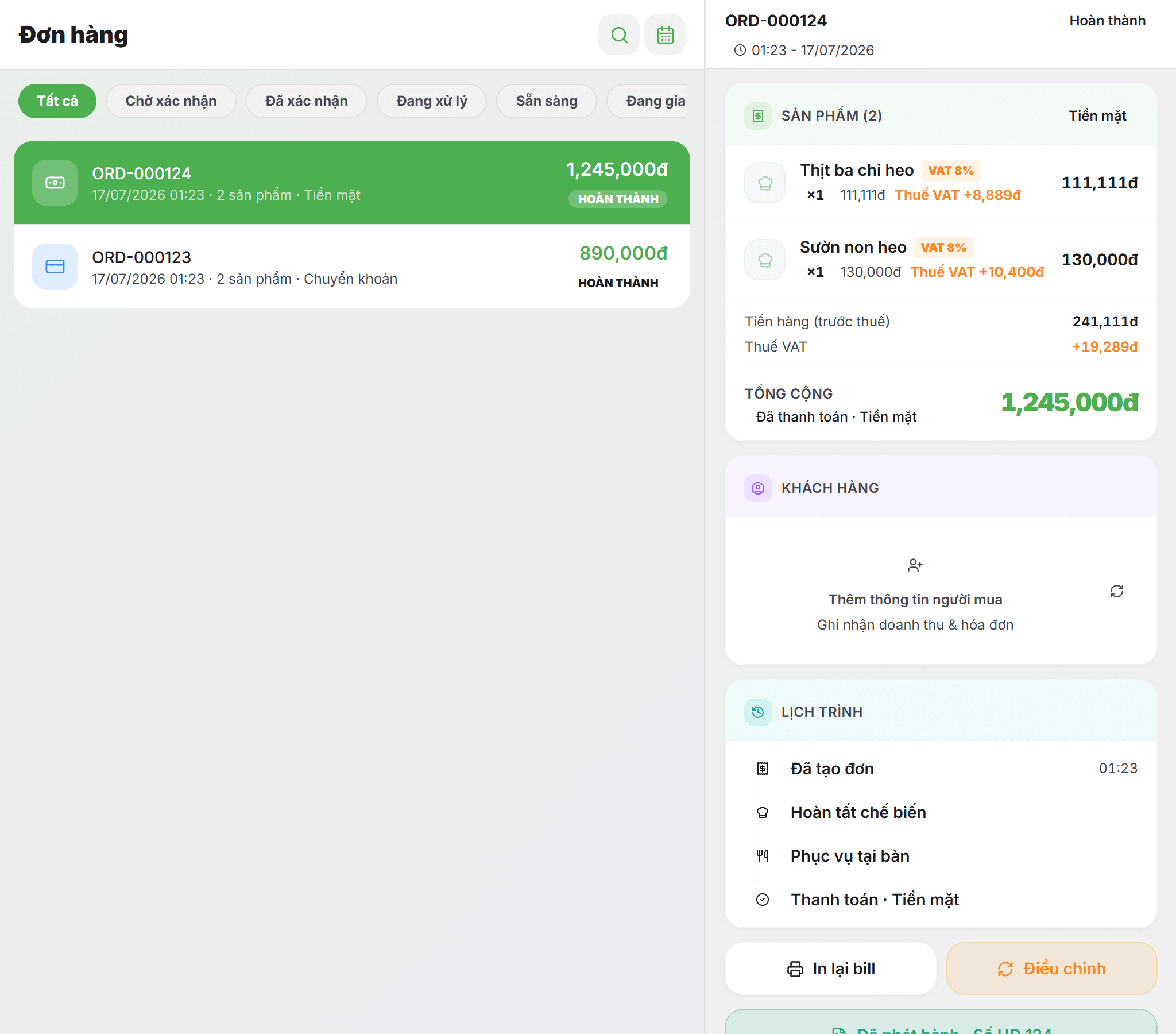
Open a completed order and hit issue. Lines, unit prices and tax rates come straight from the order, with a buyer form for both individuals and companies.
Automatic, driven by order status
Turn it on once: every order that reaches "Completed" issues its invoice. Or schedule a time of day and let the system issue the batch for you.
Adjustment & replacement invoices
An increase, decrease or replacement order in LalaPos generates exactly the right invoice type, referencing the original and sending negative values for decreases.
HSM signing, no USB token
Centralised HSM signing means you can issue anywhere — including from a phone or tablet — without a USB token plugged into a PC.
Per-product VAT breakdown
Each product carries its own rate (0%, 5%, 8%, 10%, non-taxable, not-required-to-declare). Orders and invoices show pre-tax value, VAT and total separately.
Emailed to the buyer, QR lookup
Enter the buyer email at issue time and the invoice provider sends it directly. A QR code and lookup link let the customer open the PDF themselves.
Up and running in 4 steps
No complex setup, no accountant sitting next to you.
Turn on the E-invoice app
Open the Apps menu in LalaPos and enable E-invoice. Every plan can use it — there is no tier gate.
Connect your invoice provider
Enter your tax code and provider account (Mat Bao is supported today), then pick the invoice serial and form number. One click tests the connection.
Sell exactly as before
Staff keep using the same sales screen. Tax rates are already attached to each product, so there is nothing extra to remember.
Issue and keep track
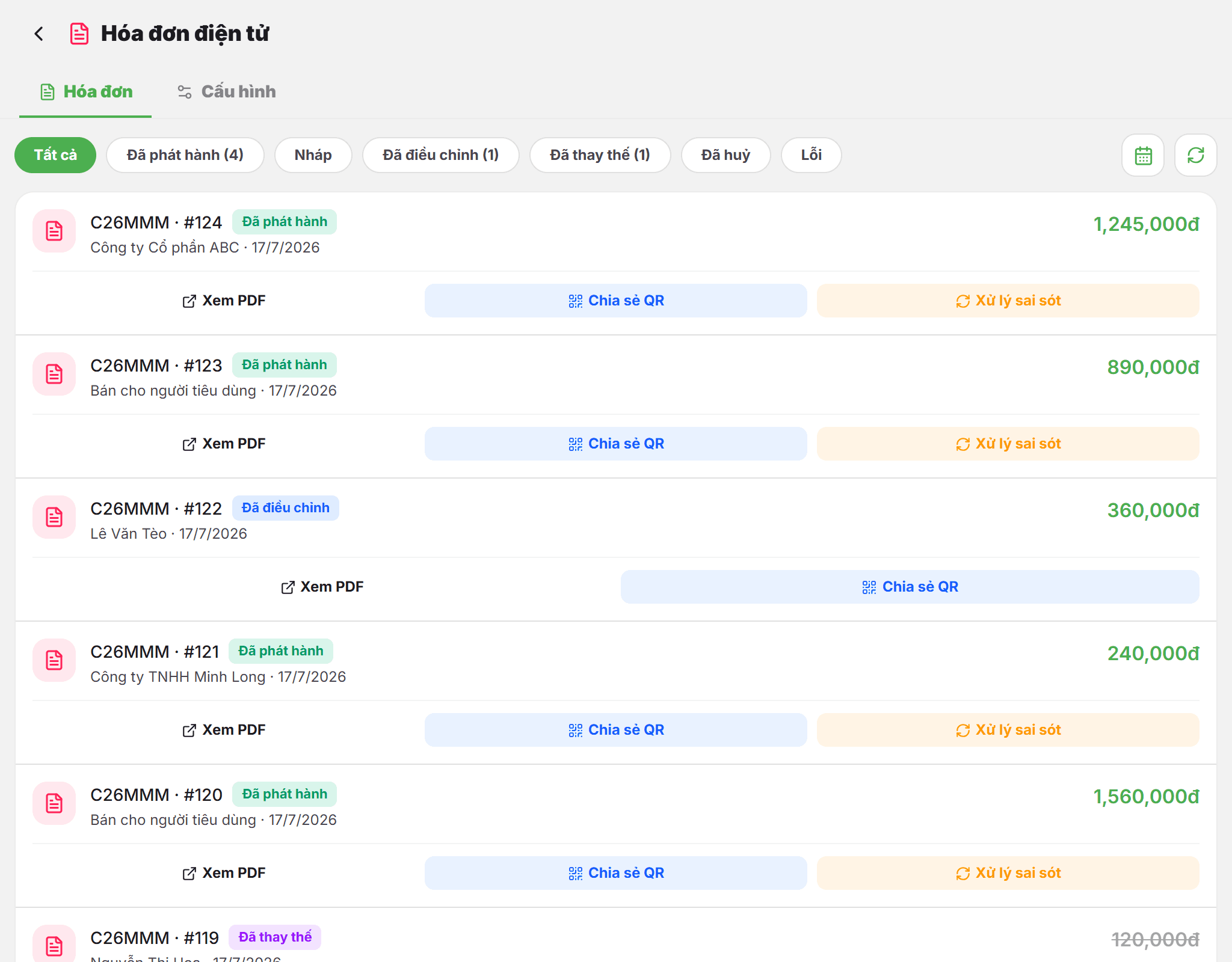
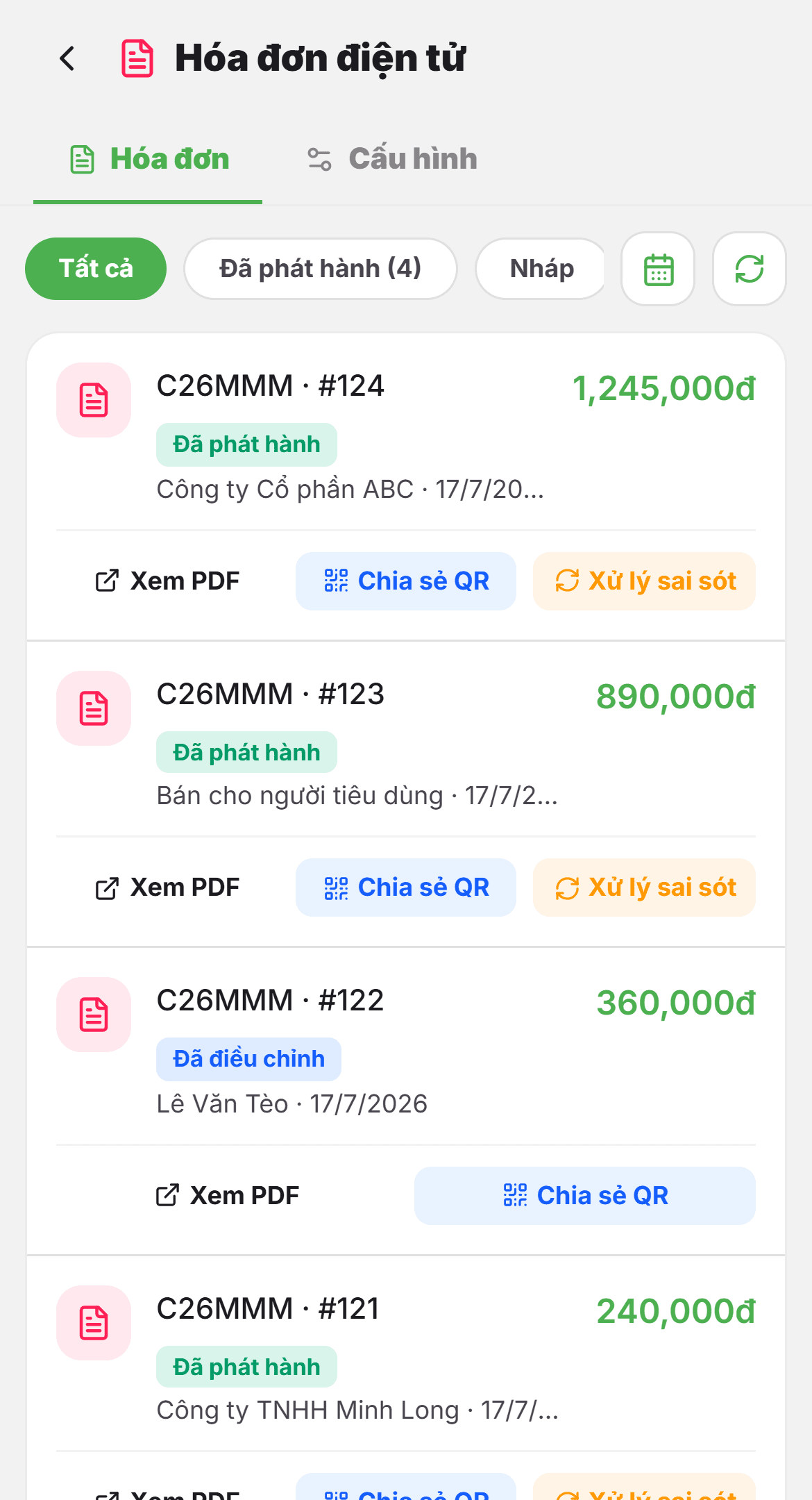
Hit issue on the order, or let the system do it. Every invoice sits in one list, filterable by status and date, with PDF view and QR sharing at any time.
E-invoicing stops being an end-of-day chore
- Invoicing lives inside the sales app — no double data entry
- Auto-issue by order status or on a daily schedule
- Adjustment and replacement invoices created for you when an order changes
- HSM signing — issue from a phone or tablet
- Multiple stores, each with its own invoice serial
- Multi-provider architecture — you are not locked to one issuer
HSM signing
Automatic by order
Adjust & replace
Multi-branch
The real screens
Captured straight from LalaPos — not mock-ups.
Ready for e-invoicing from your cash register
Turn on the app, connect a provider, and issue your first invoice today. Free for 30 days.
No credit card · Cancel anytime